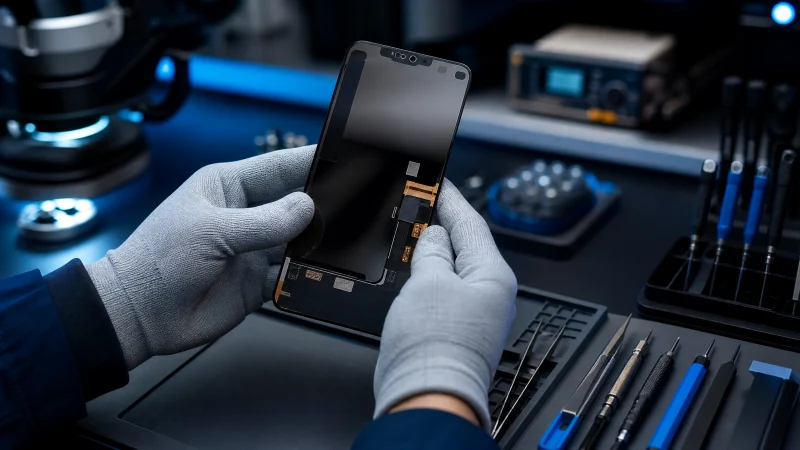
As bulk distributors and multi-location repair chains, managing Return Merchandise Authorizations (RMAs) and maintaining high yield rates are critical to your operational efficiency.
Samsung Note and S series OLED displays are premium, high-margin products, but their ultra-thin, sophisticated architecture leaves zero room for installation errors.
At ARI (Your Premier Mobile Phone Repair Parts & Components Exporter & Wholesaler), we systematically test every screen to ensure factory-perfect quality before shipment. However, statistics show that the majority of post-shipping defects are inadvertently triggered during the assembly phase.
Below is a technical breakdown of common Samsung OLED failures, their root causes, and strategic preventative measures to help your team minimize losses and protect your bottom line.
1. Immediate Post-Installation Failure
The Symptoms: The screen flashes, blanks out, or completely fails to display graphics immediately after assembly.
Root Causes
- Hot-Plugging (Power-On Connection): Attaching or detaching the screen flex cable while the phone’s battery is still connected.
- Foreign Object Pressure: Micro-debris, dust, or tiny glass fragments trapped between the frame and the fragile back of the OLED panel.
- Violent Mechanical Flexing: Applying uneven or excessive force when pushing the display assembly into the mid-frame.
- Screw Penetration: Inserting a long screw into a short screw hole during reassembly, directly piercing the display layers below.
- Electrostatic Discharge (ESD): Static electricity short-circuiting the sensitive Driver IC chips on the ribbon cable.
2. Gradual Screen Bleeding & Liquid Leaks (Within 1–7 Days)
The Symptoms: The device passes initial quality control, but slowly develops purple or black ink-like spots, eventually going completely black within a week of customer use.
Root Causes
- Deformed Mid-Frame: A warped, twisted, or dented aluminum phone chassis that exerts continuous, uneven mechanical tension on the OLED glass over time.
- Residual Adhesive/Glue: Leftover hardened glue or uneven tape residues creating localized high-pressure points beneath the panel.
- Battery Swelling: An aging or damaged battery expanding upward, exerting massive physical pressure against the rear of the display assembly.
3. Unresponsive Touchscreen with Flawless Exterior
The Symptoms: The outer glass is visually perfect and free of cracks, but the touch functionality is completely dead, delayed, or suffering from "ghost touch."
Root Causes
- Flex Cable Micro-Tears: Aggressive bending, twisting, or pulling of the digitizer ribbon cable during installation, fracturing internal copper traces.
- Heavy Pressure Delamination: Over-tightening clamps or applying excessive physical force during the bonding process, separating the capacitive touch layers.
- ESD Damage: Static electricity degrading the touch control logic controller.
4. Corner Black Spots and Rapid Liquid Expanding
The Symptoms: Deep black spots originating specifically from the corners or edges, spreading across the screen like ink.
Root Causes
- Edge Collisions: Dropping, bumping, or placing the phone screen-down on hard workbenches during assembly or final testing.
- Metal Tool Squeezing: Using metal tweezers or sharp pry bars near the highly vulnerable edges of the OLED matrix.
ARI’s Ultimate Action Plan: 5 Best Practices to Prevent Screen Damage
To safeguard your inventory investment and ensure a flawless repair workflow across all your service centers, ARI recommends enforcing the following standardized operating procedures (SOPs):
- Enforce a Strict "Battery-Last" Policy: Technicians must disconnect the battery flex cable before touching, testing, or connecting any other internal components. This completely eliminates the risk of short-circuits.
- Implement 100% ESD Safe Workstations: Equip every workbench with anti-static mats, grounded wrist straps, and anti-static gloves. This is non-negotiable for high-end Samsung OLED handling.
- Mandatory Frame Straightening & Cleaning: Train teams to use precision straightness gauges on mid-frames. Always use professional 530 cleaner to remove 100% of old residue. If a frame is bent, it must be replaced along with the screen.
- Use Color-Coded Magnetic Screw Mats: Every device teardown must utilize a screw-mapping mat to ensure the exact screw returns to its original slot, preventing catastrophic motherboard and screen punctures.
- Ban Metal Tools for Display Seating: Replace all metal opening picks, tweezers, and crowbars with high-density nylon or plastic spudgers. Use specialized, tension-calibrated screen clamps rather than generic heavy-duty clips.
Partner with ARI for Reliable Sourcing
For large-scale repair chains and regional wholesale distributors, consistency is everything. When you partner with ARI, you gain access to a strictly vetted supply chain, rigorous multi-point quality control, and premium-grade Samsung Note/S series components designed to lower your RMA rates to the absolute minimum.
Contact the ARI Wholesale Team today to discuss custom bulk pricing, logistics solutions, and long-term supply agreements.